0. 말이 필요 없는 시각적 서사(Wordless Visual Storytelling)
기술 문서나 아키텍처 다이어그램에서 가장 우아한 경지는 “복잡한 텍스트 설명이나 레이블 없이, 오직 3차원 공간의 층위(Layers)와 형태만으로 전체 시스템의 계통이 단번에 읽히도록 만드는 것”입니다. 수직으로 분리되어 공중에 떠 있는 ‘층별 레이어 아이소메트릭(Layered Isometric)’ 기법은 바로 이 무언의 시각적 서사를 완성하는 최고의 도구입니다.
graph BT
    L1[Layer 1: 기반 인프라 & 하드웨어 스토리지 계층] -->|수직 엘리베이터 빔| L2[Layer 2: 클라우드 플랫폼 & 미들웨어 파이프라인]
    L2 -->|고속 데이터 버스| L3[Layer 3: AI 지능 연산 & 비즈니스 로직 코어]
L3 -->|최종 서비스 투영| L4[Layer 4: 엔드유저 글래스모피즘 인터페이스]- 수직 적층(Vertical Stacking)의 명확성: 아래에서 위로 쌓아 올리는 물리적 건축 구조를 모방하여, 무엇이 기초(Foundation)이고 무엇이 최종 결과물(Endpoint)인지 누구나 직관적으로 깨닫습니다.
- 투명성과 분리감: 층과 층 사이를 넓게 띄우고(Exploded Spacing), 반투명 아크릴 슬랩(Acrylic Slabs)을 적용하여 각 층 내부의 작동 모습이 가려지지 않고 입체적으로 투과됩니다.
1. 레퍼런스 비주얼 정밀 역공학 (Deconstruction)
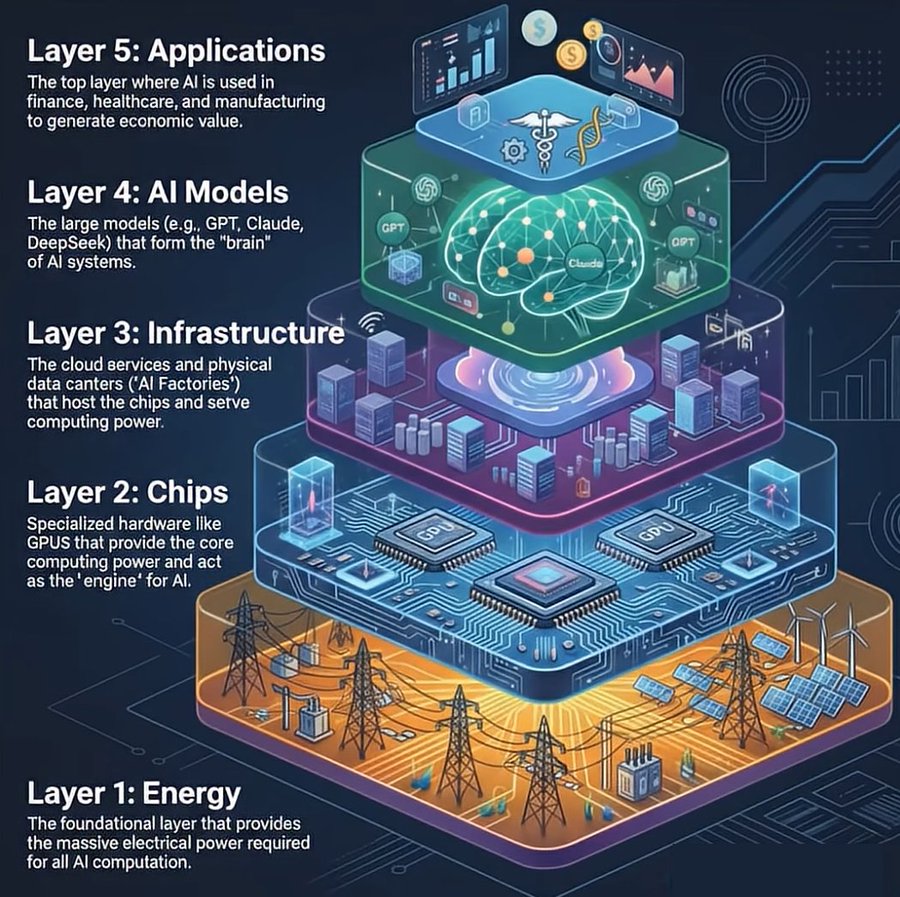
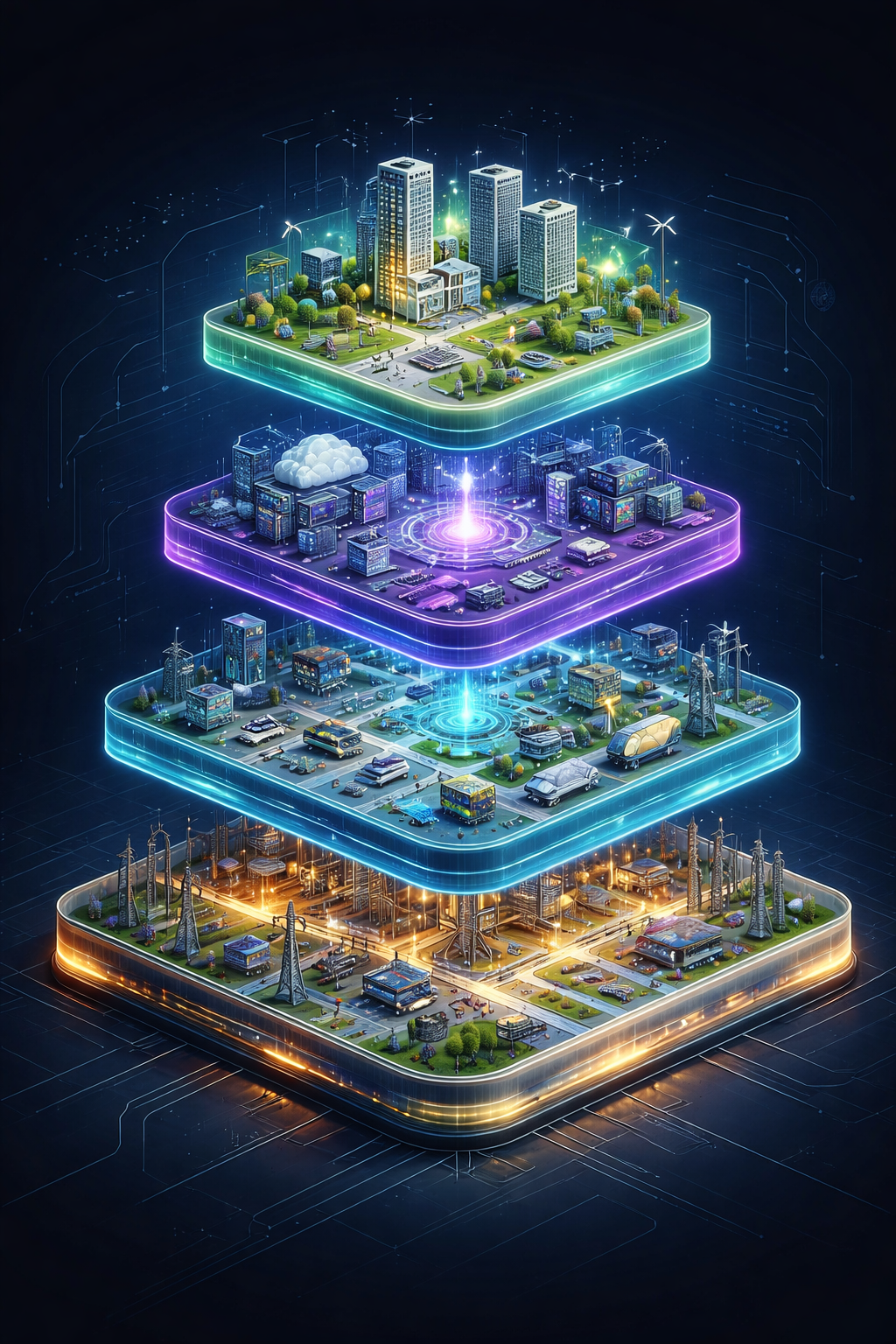
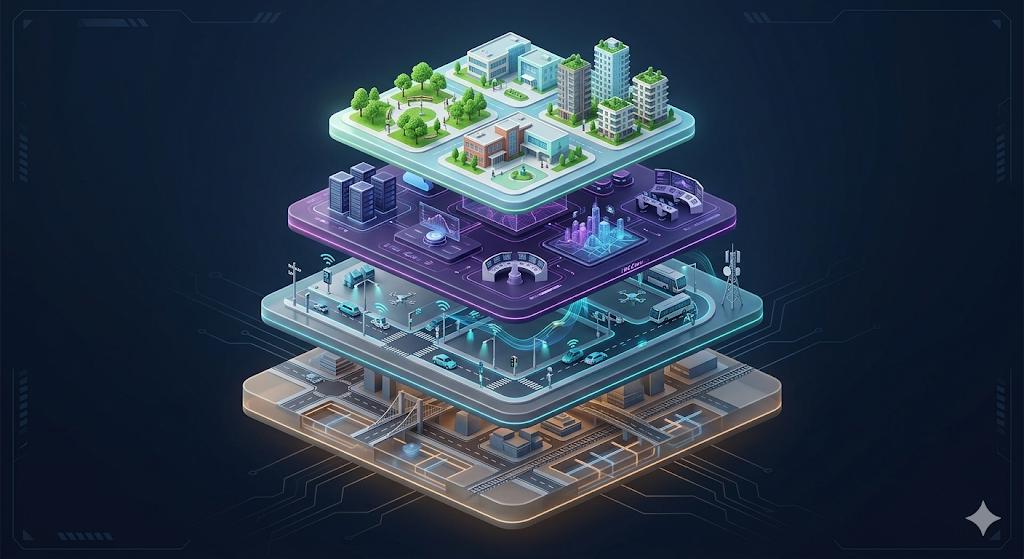
1-1. 층별 아키텍처 분해 매트릭스
classDiagram
    class LayeredIsometricArchitecture {
        +Perspective: 30-degree isometric view with vertical exploded offset
        +Layer_01_Foundation: Heavy dark ceramic base slab (Servers, Storage cylinders)
        +Layer_02_Platform: Translucent teal acrylic slab (Data pipelines, API routers)
        +Layer_03_Intelligence: Glowing violet floating core (AI neural clusters)
        +Layer_04_Interface: Ultra-thin frosted glass slab (User dashboards, Mobile screens)
        +VerticalConnectors: Luminous data elevator shafts connecting all slabs
}- 1층: 기반 인프라 (Foundation Layer - 최하단):
- 견고하고 묵직한 다크 그레이/네이비 세라믹 블록.
- 원통형 데이터베이스 스토리지, 서버 랙, 하드웨어 냉각 파이프.
- 2층: 플랫폼 및 미들웨어 (Platform Layer - 중하단):
- 반투명 청록색(Teal) 아크릴 슬랩.
- 복잡한 데이터 교환을 상징하는 정돈된 회로 트랙과 라우터 노드.
- 3층: 지능 연산 코어 (Intelligence Core - 중상단):
- 신비롭게 발광하는 보라색/시안색 크리스탈 큐브.
- 신경망 알고리즘과 지능형 필터링을 상징하는 3D 메쉬 구체.
- 4층: 사용자 인터페이스 (Experience Layer - 최상단):
- 가장 얇고 투명한 글래스모피즘 슬랩.
- 스마트폰 화면, 인터랙티브 대시보드 카드, 사용자 아바타 노드.
2. 텍스트 없는 무결점 프롬프트 키워드 사전
| 속성 영역 | 필수 영문 프롬프트 키워드 | 세부 시각 효과 |
|---|---|---|
| 입체 구도 | isometric layered architecture, vertical exploded view, floating stacked slabs |
공중에 단계별로 떠 있는 수직 다층 슬랩 |
| 재질 대비 | frosted translucent acrylic slabs, matte ceramic base, luminous neon light shafts |
층별로 차별화된 투명도와 발광 질감 |
| 연결 부재 | vertical data elevator beams, glowing optic conduits piercing through layers |
층과 층을 수직으로 관통하는 빛의 기둥 |
| 텍스트 배제 | textless, no text, wordless visual storytelling, clean abstract icons only |
지저분한 가짜 글자 생성을 완벽 차단 |
3. 영문 메인 및 축약형 마스터 프롬프트
3-1. 영문 메인 프롬프트 (안정적인 고품질 렌더링)
An ultra-clean, textless 3D isometric layered system architecture illustration on a pristine pure white background (#FFFFFF).

Four distinct floating modular slabs are stacked vertically in an exploded view with generous vertical spacing between them:

Layer 1 (Bottom): Solid dark graphite ceramic foundation slab supporting miniature cylindrical databases and server hardware racks.
Layer 2 (Lower-mid): Translucent teal acrylic slab with organized data-pipeline tracks and routing nodes.
Layer 3 (Upper-mid): A radiant violet-to-cyan intelligence layer featuring a floating 3D neural network crystal cluster.
Layer 4 (Top): An ultra-thin frosted glass slab displaying miniature clean UI dashboard cards and charts.

Vertical luminous light conduits and optical data elevator shafts pierce smoothly through the center of all four slabs, linking them together. Studio soft lighting, gentle contact shadows on floor, Scandinavian minimalism, zero text, presentation ready --ar 16:9 --style raw --v 6.1
3-2. 영문 축약형 프롬프트 (빠른 프로토타이핑용)
Isometric 3D vertical layered architecture diagram, 4 stacked floating acrylic slabs, exploded view, glowing data elevators linking layers, clean white background, textless, claymorphism and glassmorphism, octane render, 8k --ar 16:9 --v 6.14. 실무 보고서 및 웹 인터랙션 응용 팁
- 발표 슬라이드 빌드업(Build-up) 효과:
- 파워포인트에서 슬라이드를 4장 복제하여, 1장에는 1층만 강조, 2장에는 1~2층, 3장에는 1~3층, 4장에는 전체가 완성되는 스텝별 빌드업을 적용하면 경영진이 아키텍처의 전개 과정을 손쉽게 이해합니다.
- 반응형 웹 스크롤 인터랙션:
- 웹페이지에서 스크롤을 내릴 때마다 수직으로 층들이 결합되거나 분리되는 Lottie 애니메이션의 3D 소스 에셋으로 최적입니다.